
One process. Many possible paths.
secondFactory does not just map a linear chain. Completeness, clarification requests, technical approvals, material availability, quality and special cases can branch the workflow – without losing the connection between the data.
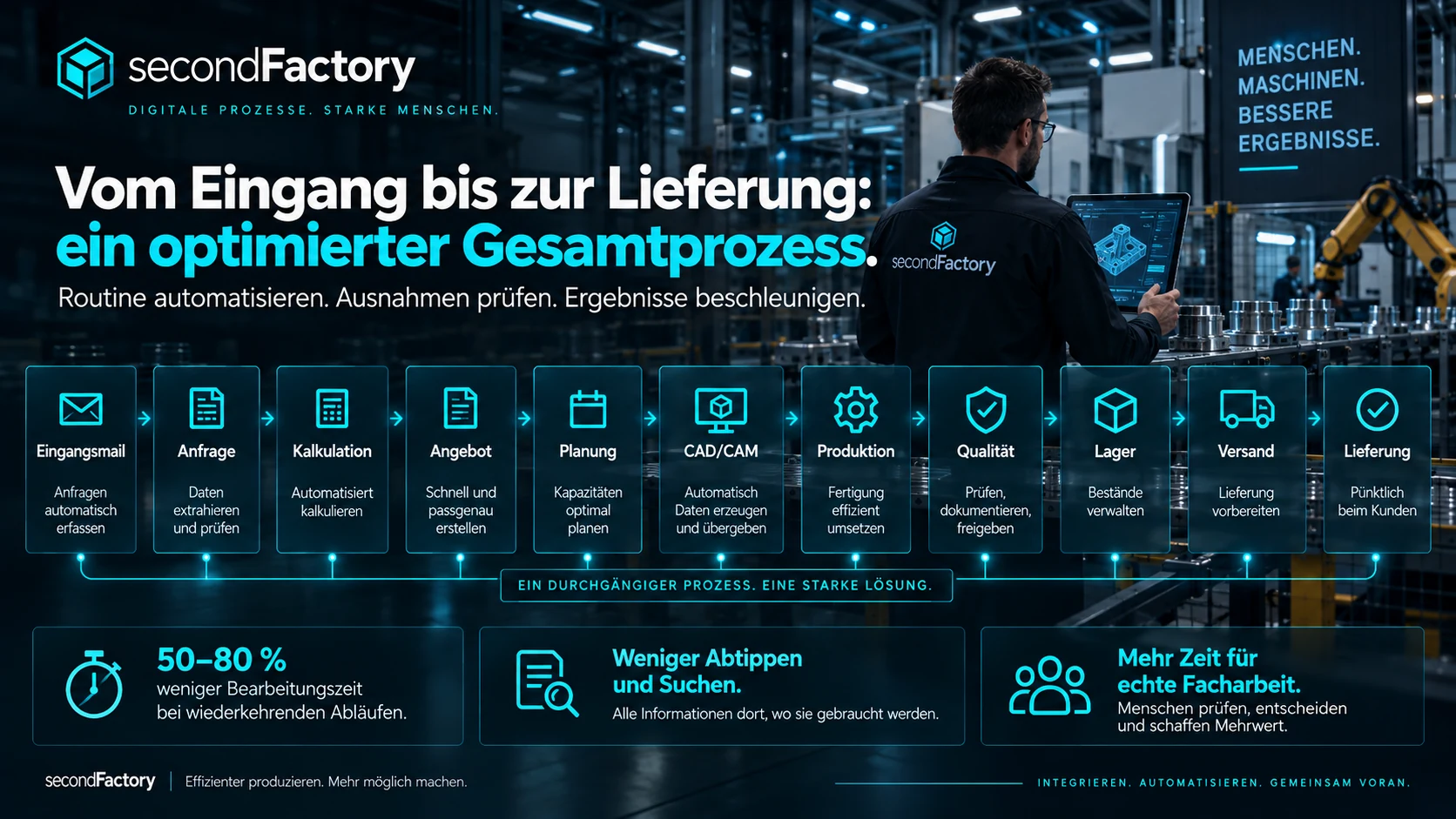
INQUIRY → QUOTE → PLANNING → ENGINEERING → PRODUCTION → QUALITY → LOGISTICS → DELIVERY
The details below show clarification requests, approvals, revisions and technical special paths. The short version is deliberately kept simple.
- 01InquiryEmail, upload, scan, photo, PDF
- 02QuoteOCR, line items, rules, costing
- 03PlanningDeadlines, resources, personnel
- 04EngineeringCAD, CAM, revisions, tools
- 05ProductionOperations, machines, programs
- 06QualityInspection, rework, photos
- 07LogisticsWarehouse, transports, forklifts
- 08DeliveryLoading, delivery note, completion
What happens at each step
- Inquiry
Incoming items from email, upload, scan or folder are imported, originals are preserved and documents are read via OCR – with source references.
- Quote
Line items, quantities, dimensions, variants and rules are structured, open questions are identified and the costing is prepared. A human reviews and approves.
- Planning
Routings, deadlines and capacities are derived from the order – coordinated with personnel, machines and material.
- Engineering
Drawings, sketches, scans or CAD data become 3D geometry, revisions, CAM programs and machine data – every step ready for approval.
- Production
Operations are started, handed over and reported as complete; machine status, faults and feedback come together.
- Quality
Inspections, measurements, photos and rework are documented on the part – defects stop subsequent steps.
- Logistics
Storage locations, transports, forklift jobs and picking are guided by scanning.
- Delivery
Loading, delivery note and completion – with a traceable history through to the delivered part.
Automate when clear. Involve people when needed.
Email / upload / scan / folder
Preserve originals, check for duplicates, classify documents.
Documents / OCR / data
Identify line items, quantities, dimensions, sources, rules and open points.
Complete & plausible?
Yes: on to costing. No: clarification request / additions.
Costing / variants / approval
Prepare, review, version and communicate the quote.
Line items & physical units
Cleanly separate order, individual parts, routings and identities.
Personnel / capacity / deadlines
Resources, shifts, skills, machines, priorities and forecasts.
CAD / domain logic / revisions
Geometry, bills of materials, design engineering, technical checks and approvals.
Nesting / CAM / simulation
Tools, setups, toolpaths, collisions, post-processor, NC.
Operations / machines / issues
Start, pause, handover, completion report, faults, cameras and maintenance.
Inspection / rework / photos
Measurements, approvals, deviations, complaints and part history.
Warehouse / transport / picking
Locations, scanners, forklifts, inventory, movements and staging.
Loading / delivery note / completion
Check, load, document, hand over and close out individual parts.
One single source of truth. Eight stations. Clear approvals.
Routine work is prepared. Expert decisions stay with people.
Record
Data from emails, documents, images, drawings and systems is imported automatically.
Structure
Line items, dimensions, materials, deadlines, rules and open points are organized systematically.
Generate
Quotes, planning data, 3D models, CAM suggestions, documentation and machine data can be prepared.
Control
Checkpoints and approval points ensure that critical steps are confirmed or corrected by people.
From inquiry to delivery: an optimized end-to-end process.
Sources are preserved
Original and derived data remain distinguishable; technical details can refer back to where they were found.
Revisions remain traceable
New documents do not silently change versions that have already been approved or produced.
Errors stop subsequent steps
An error in a required step does not produce a seemingly successful follow-up step.
Special paths remain visible
Rework, clarification requests, complaints, reuse or custom routings remain part of the history.
Your entire operational process is the scope for optimization.
Not just a form, not just a machine and not just an ERP module: secondFactory looks at the whole chain and automates where time is lost.